Anydesk
AnyDesk, a fast remote access to computers

Safe & Secure
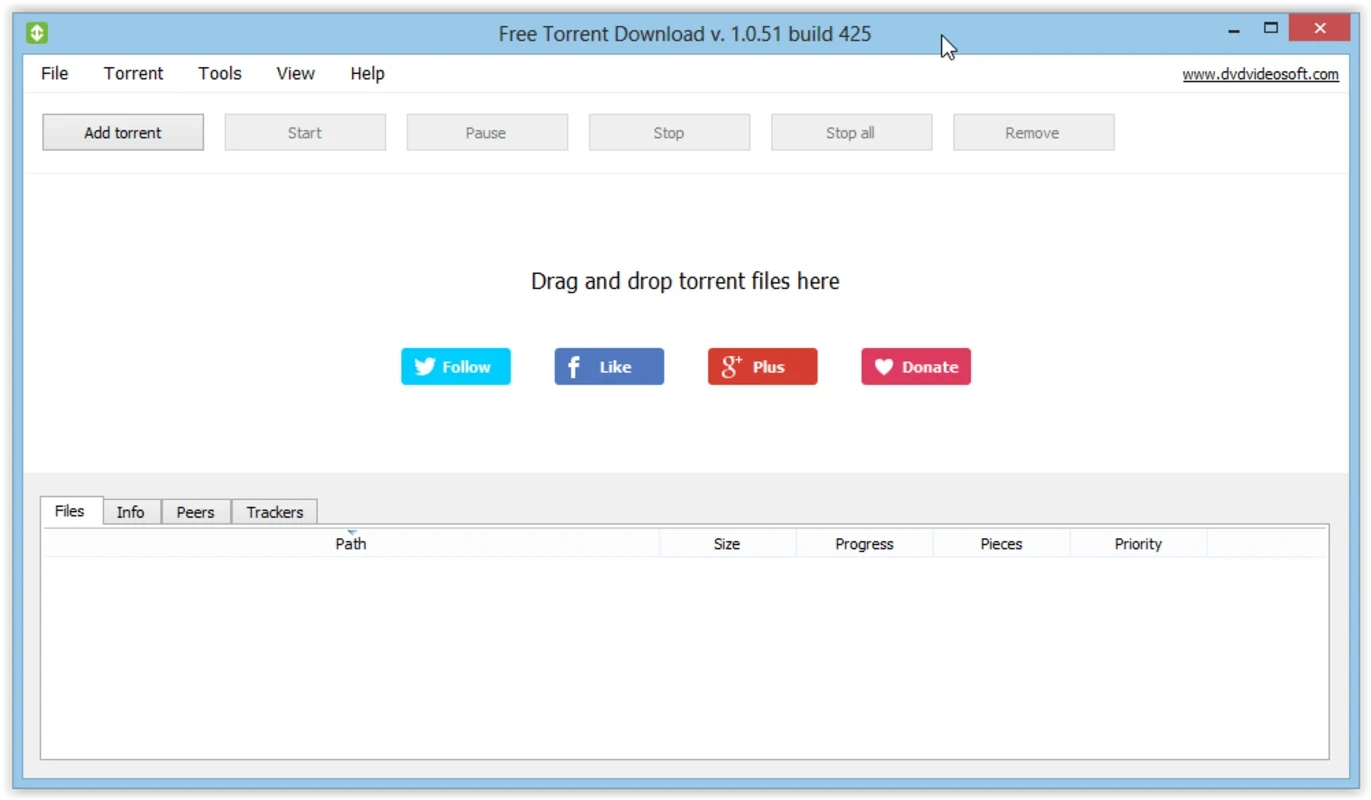
Free Torrent Downloader is an efficient and smart tool used to download multimedia content using torrent files within seconds. The entire process is simple and reliable, as there is no need for complex configurations. It offers a simple interface, allowing users to add torrents, whether by importing from the device’s memory or using the stored URLs in the torrent.
It is the best solution, specifically for users who want a torrent without any limit on size or speed, and the distraction-free ecosystem offers robust performance, using the available ports to enhance the downloading process.
Free Torrent Downloader is a simple yet powerful way of accessing your desired content, making the downloading process smooth and fast, avoiding the need to grab files directly from servers. It prioritizes specific files to download them faster, even managing he bulk downloads.
The free-to-use utility offers an extra layer of encryption, emphasizing your security and privacy. It proves to be one of the best alternative of BitTorrent’s client uTorrent and qBittorrent, meeting all the requirements of a practical torrent client.
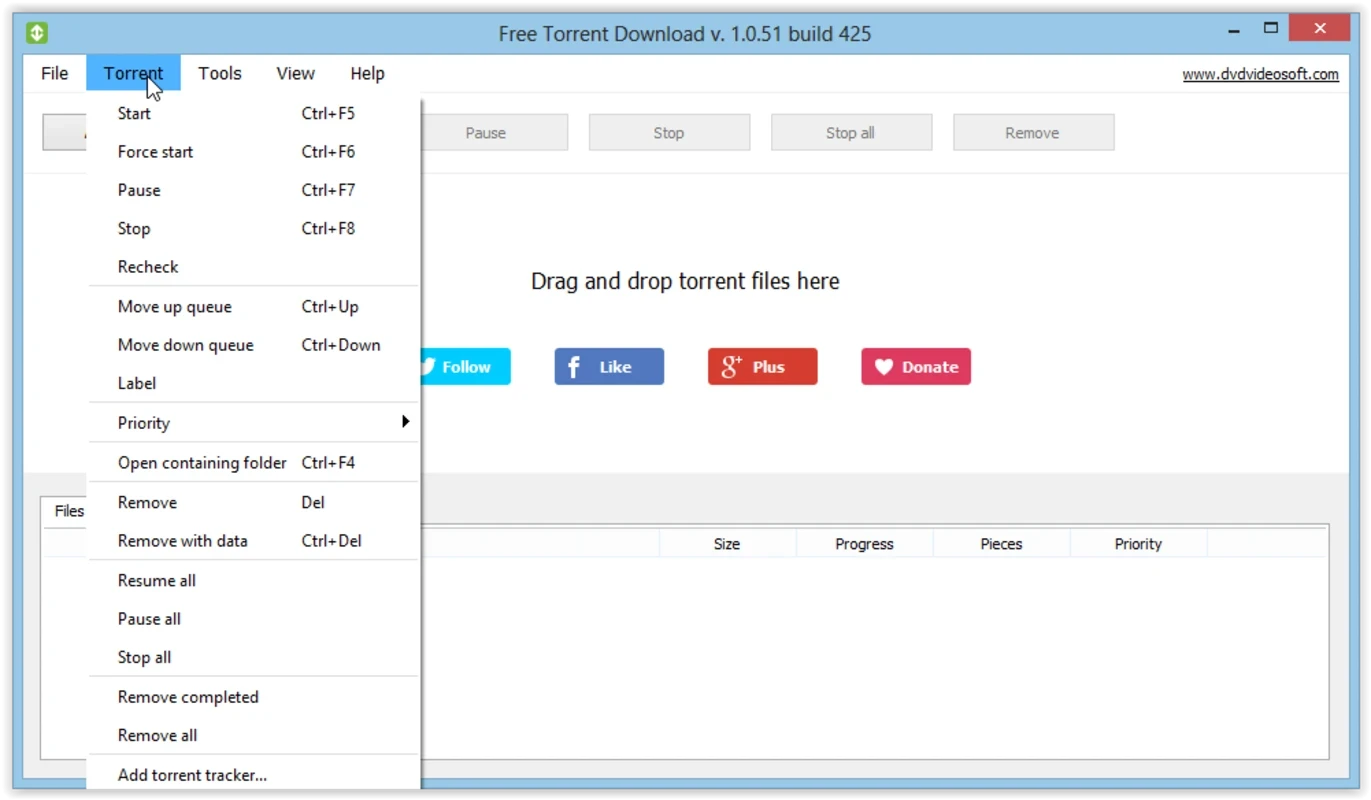
The user-friendly interface is quite familiar to any other torrent program, allowing users to add torrents using files and URLs. It also allows you to create your own files on the spot, specifically if you want to upload torrents for others to download. You will find pause and resume options to manage your downloads, and in case of an unresponsive startup, simply force-close it to fix the issue.
You will find a smooth and efficient workflow without any limits on speed or size for adding torrents, and it will open automatically at Windows startup. In this way, none of your files will be lost during downloading, and save your time and energy. Improve your performance while configuring the proxy, and easily improve the downloading rhythm using all the available ports.
Beyond downloading torrents, it offers awesome services in different scenarios, such as rearranging torrents in the queue, opening available folders in the default file manager, editing labels, and removing torrents in both situations, with or without associated data. It remains smooth and effective, even with heavier torrents.
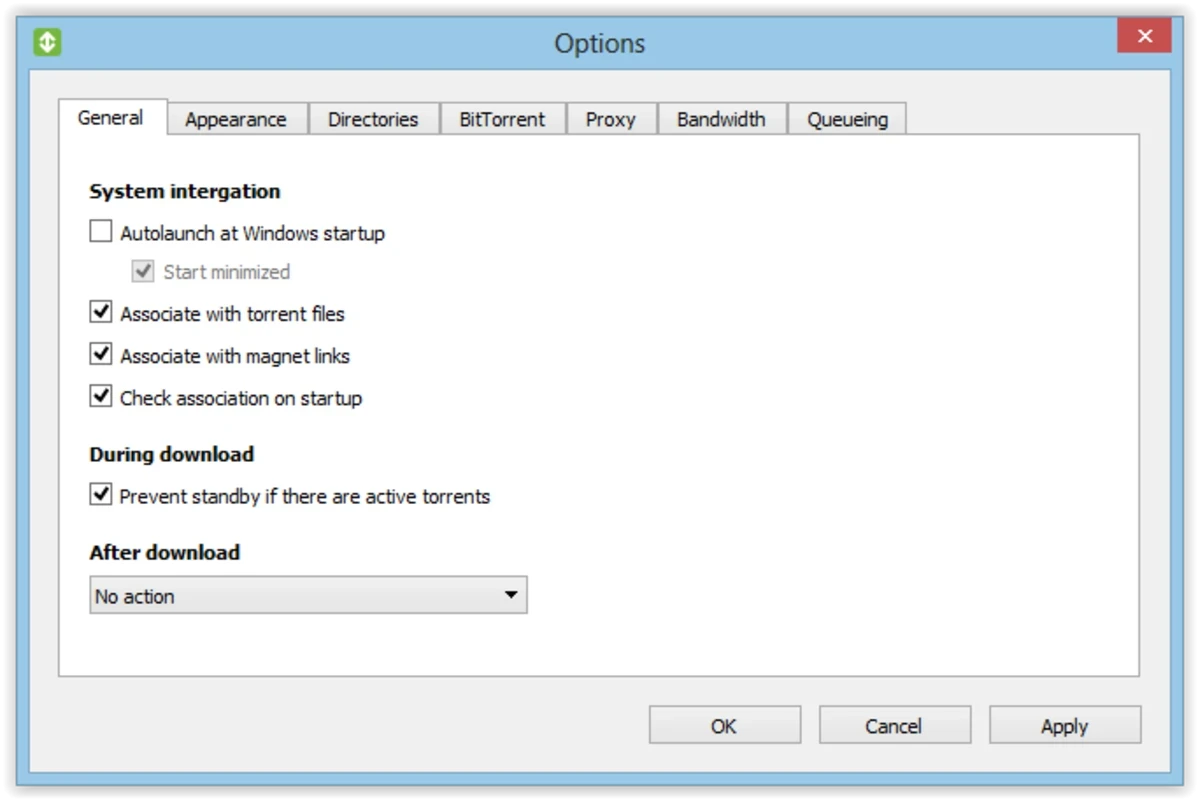
Entire setup is customizable, as hiding of Free Torrent Download’s system tray icon, and also disabling of confirmation messages, in case of deleting torrents or hiding them on exit. You can also change the default location to keep as well as move new downloads and torrent files. It is possible with the app to configure specific BitTorrent settings, such as DHT network, local service discovery, UPnP, and NAT-PMP port mapping. It also helps to limit the bandwidth and set queueing conditions as well.
The app offers awesome functionality for managing the downloading process, as you can pause the download and resume it easily, without wasting your time. It offers various tabs at the bottom of the screen, enabling users to view detailed information on torrents, files, peers, and trackers as well. It also allows you to prioritize torrents according to your desired levels, such as normal, medium, or high.
The support for multiple languages helps users easily switch to any of their desired languages using the Tools menu. It is also possible to manage other settings, such as enabling the Free Torrent Download to run automatically at every startup, and automate the management of downloaded torrents, such as exit, hibernate, standby, shutdown, or restart. The app's lightweight capacity proves to be the best alternative to a BitTorrent client, offering an ad-free environment during runtime.
Pros
Cons

AnyDesk, a fast remote access to computers

Accelerated Downloading with Internet Download Manager (IDM)

SHAREit for PC is the best option for a P2P file-sharing process without using Wi-Fi.

ShareMe for PC, a freeware and streamlined file-sharing app

uTorrent, a powerful, lightweight, and fastest P2P file-sharing software

Xender for PC, an effective and convenient file transfer utility